
Get Posting

More time creating. Less time scrolling.
Visit Get PostingI built Get Posting to run my socials without giving my attention to the feed.
Every time I opened an app to publish something, there was a good chance I'd end up scrolling instead. A five-minute job became half an hour. Making content started to feel harder than it needed to be.
Write once, adjust each platform, publish, close the tab. That's Get Posting.
Who it's for
People who make things and post them on a few platforms, mostly on their own: founders, creators, freelancers and small businesses. And people juggling more than one account, like a few clients, a couple of products, or one brand in different markets.
I spent years on the development side of client work, and things get messy when every brand is mixed together. So organisations were in Get Posting from day one. Each workspace has its own accounts and people, and nobody has to hand over a social password.
It isn't an agency suite, and it doesn't write your posts. Both on purpose.
How it works
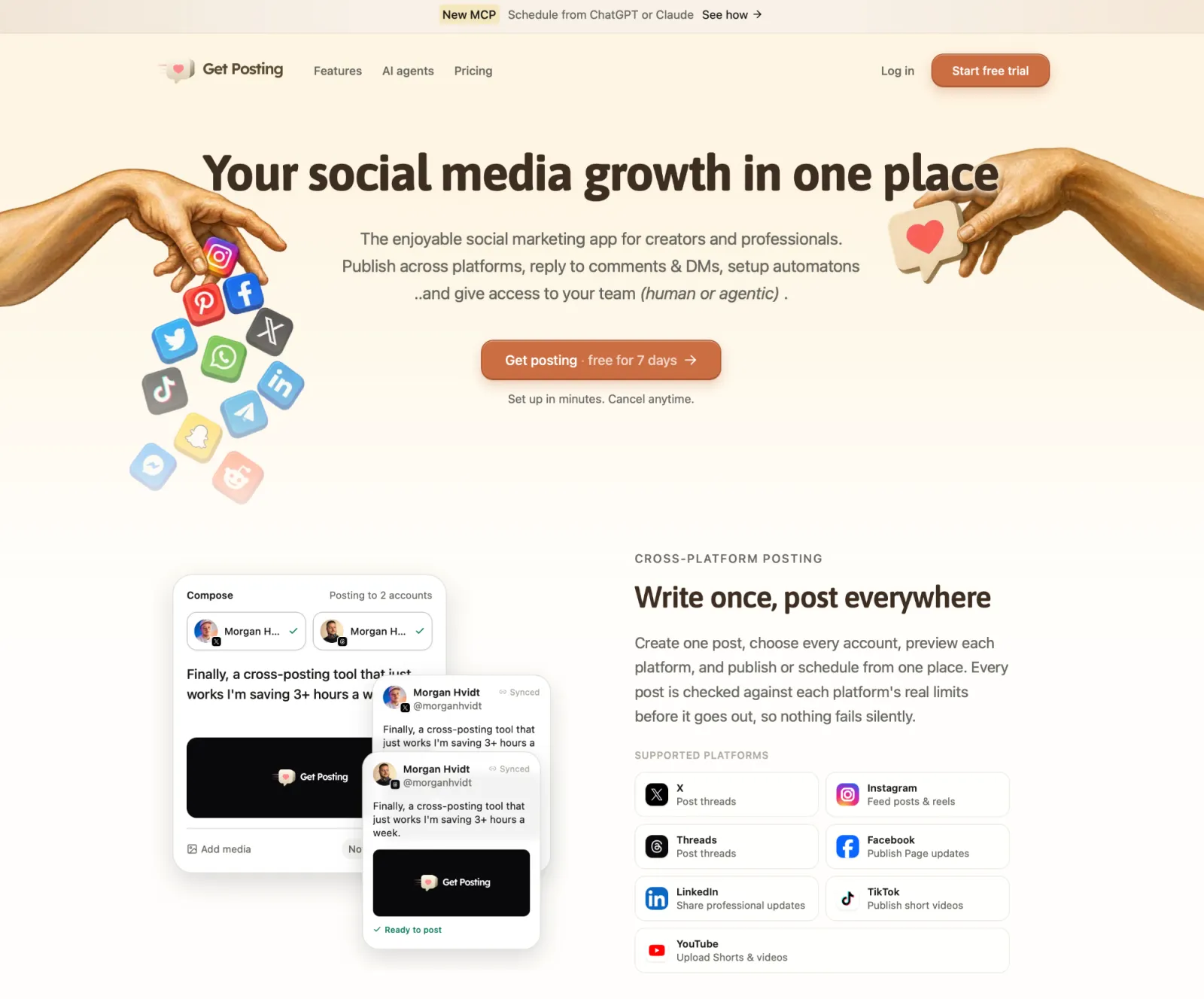
Connect your accounts once. X, Instagram, Threads, Facebook, LinkedIn, TikTok and YouTube.
Write once, adjust each one. You get a version per platform, so it doesn't look like the same post blasted everywhere.
Check before it goes out. Every version is checked against that platform's real rules, and you see the exact reason it would fail before you schedule it. I'd had enough of captions getting cut short and uploads failing silently in other tools.
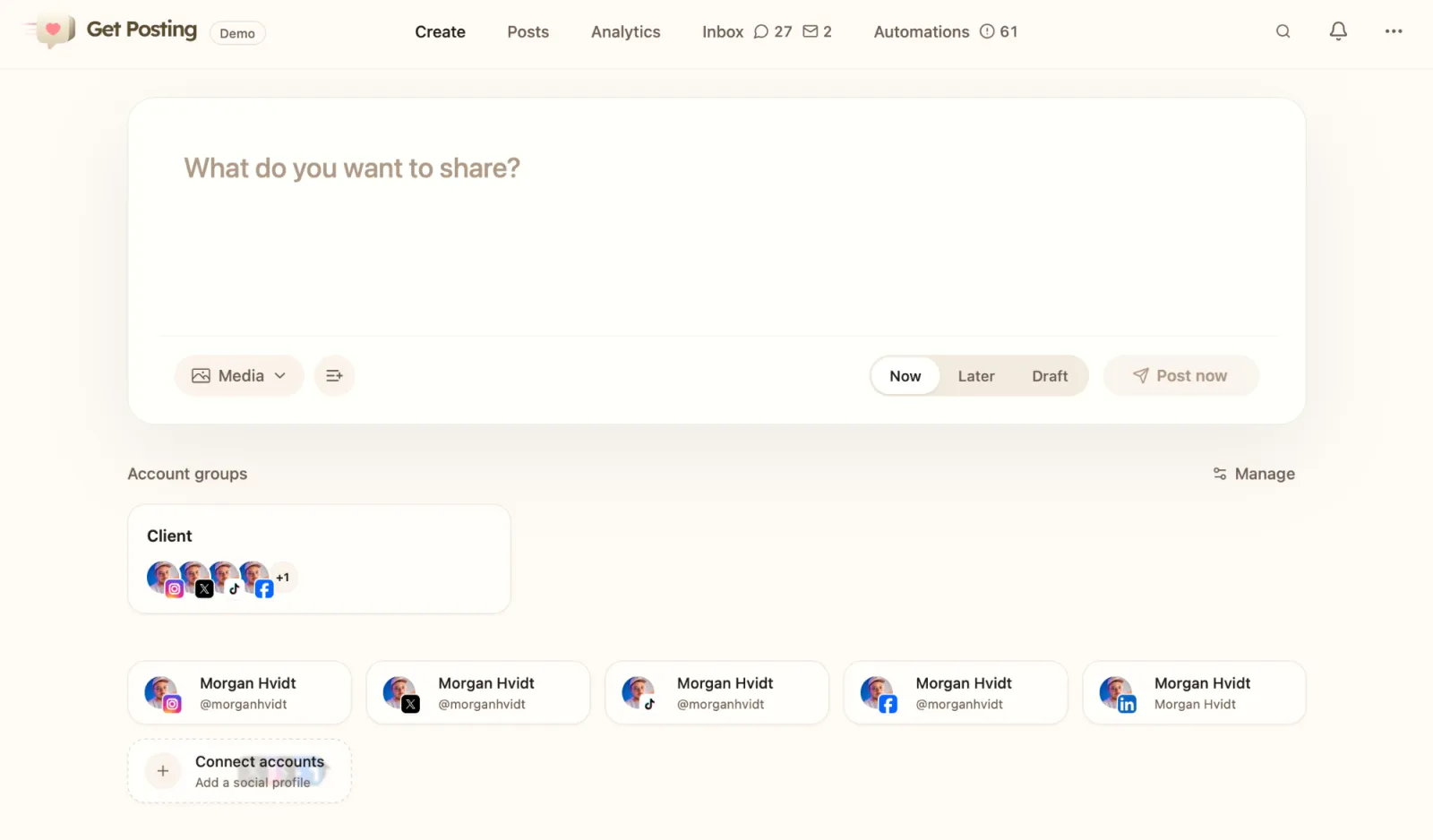
Schedule it. Post now or put it on the calendar. Account groups let me post to one product's accounts without picking them every time.
See what comes back. Comments and DMs land in one Inbox, which is still in beta. Analytics show follower growth, engagement, top posts and a posting streak, so going quiet has a visible cost.
Three automations, not a workflow builder
The comments a post earns are where the leads are, and answering them by hand doesn't scale. I could have built a canvas with triggers and branches. I don't think most people want to learn one.
So there are three, each set up from one short form:
- Comment to DM. Someone comments a keyword and gets a private message from you, on Facebook, Instagram and X
- Keyword replies. A matching comment gets the public reply you wrote once
- A follow-up comment. After your post goes live, Get Posting adds your link or offer as a comment, on X for now
They only ever reply to people who commented on your post first. No cold DMs.
No AI in the app, on purpose
There are no AI features inside Get Posting, and that's deliberate. I think social media should stay real and honest, so I'm not going to build an AI writer for tweets or posts. The good stuff is spur of the moment: a thought you share with the world from your own point of view. That's what I'm trying to do with mine.
My flow is simple. I open it on my iPhone or my computer, add a screenshot or a video, and send it across all my accounts, including a few experimental ones I run for marketing. It's a distraction-free way to manage my socials from one place, so I spend less time scrolling.
Where AI does help is after the post. Once a week an agent checks through the MCP whether I'm growing, what worked, and which formats do well for me. It doesn't replace the process. It helps me get better at it, and Get Posting makes the posting itself fast across all my brands.
The MCP fully supports drafting and scheduling too, so your own assistant can run your posting if that's how you work. It's just not how I use it.